


Skip to content修改
修改

快速开始
本文将帮助你快速上手 GenUI SDK,通过 GenuiChat 组件快速开始使用生成式 UI。
GenuiChat 是一个集成的对话组件,内部已经封装了会话管理、流式返回、生成状态等功能,是最简单的使用方式。
初始化项目
首先,创建一个新的 Vue 项目:
bash
npm create vue@latest genui-chat按照默认提示进行项目初始化。
安装依赖
进入项目目录并安装 GenUI SDK 与官方物料包:
bash
cd genui-chat
npm install @opentiny/genui-sdk-vue @opentiny/genui-sdk-materials-vue-opentiny-vue
改造项目
修改 src/main.js 或 src/main.ts
删除 Vue 初始化工程引入的样式:
js
import './assets/main.css';

import { createApp } from 'vue';
import App from './App.vue';

createApp(App).mount('#app');
修改 src/App.vue
使用 GenuiConfigProvider 注入物料,并渲染 GenuiChat:
vue
<script setup lang="ts">
import { GenuiChat, GenuiConfigProvider } from '@opentiny/genui-sdk-vue';
import { materials } from '@opentiny/genui-sdk-materials-vue-opentiny-vue/materials';
</script>

<template>
  <GenuiConfigProvider :materials="materials">
    <GenuiChat />
  </GenuiConfigProvider>
</template>

<style>
body,
html {
  padding: 0;
  margin: 0;
}
#app {
  position: fixed;
  width: 100vw;
  height: 100vh;
}
.tiny-config-provider {
  height: 100%;
}
</style>
启动项目
运行以下命令启动开发服务器:
bash
npm run dev现在你可以在浏览器中看到 GenUI Chat 界面了!
配置 GenuiChat
你可以通过 url、model 和 temperature 属性配置大模型参数:
vue
<script setup lang="ts">
import { ref } from 'vue';
import { GenuiChat, GenuiConfigProvider } from '@opentiny/genui-sdk-vue';
import { materials } from '@opentiny/genui-sdk-materials-vue-opentiny-vue/materials';

const url = 'https://your-chat-backend/api';
const model = ref('deepseek-v3.2');
const temperature = ref(0.7);
</script>

<template>
  <GenuiConfigProvider :materials="materials">
    <GenuiChat />
    <GenuiChat :url="url" :model="model" :temperature="temperature" />
  </GenuiConfigProvider>
</template>
通过 GenuiConfigProvider 配置物料与主题
物料与主题都通过 GenuiConfigProvider 配置:materials 注入组件物料,theme 控制界面主题。
内置主题选项:
'dark':深色主题'lite':清新主题'light':浅色主题(默认)'auto':自动跟随浏览器
vue
<script setup lang="ts">
import { ref } from 'vue';
import { GenuiChat, GenuiConfigProvider } from '@opentiny/genui-sdk-vue';
import { materials } from '@opentiny/genui-sdk-materials-vue-opentiny-vue/materials';

const url = 'https://your-chat-backend/api';
const model = ref('deepseek-v3.2');
const temperature = ref(0.7);
</script>

<template>
  <GenuiConfigProvider theme="dark" :materials="materials">
    <GenuiChat :url="url" :model="model" :temperature="temperature" />
  </GenuiConfigProvider>
</template>
配置空插槽
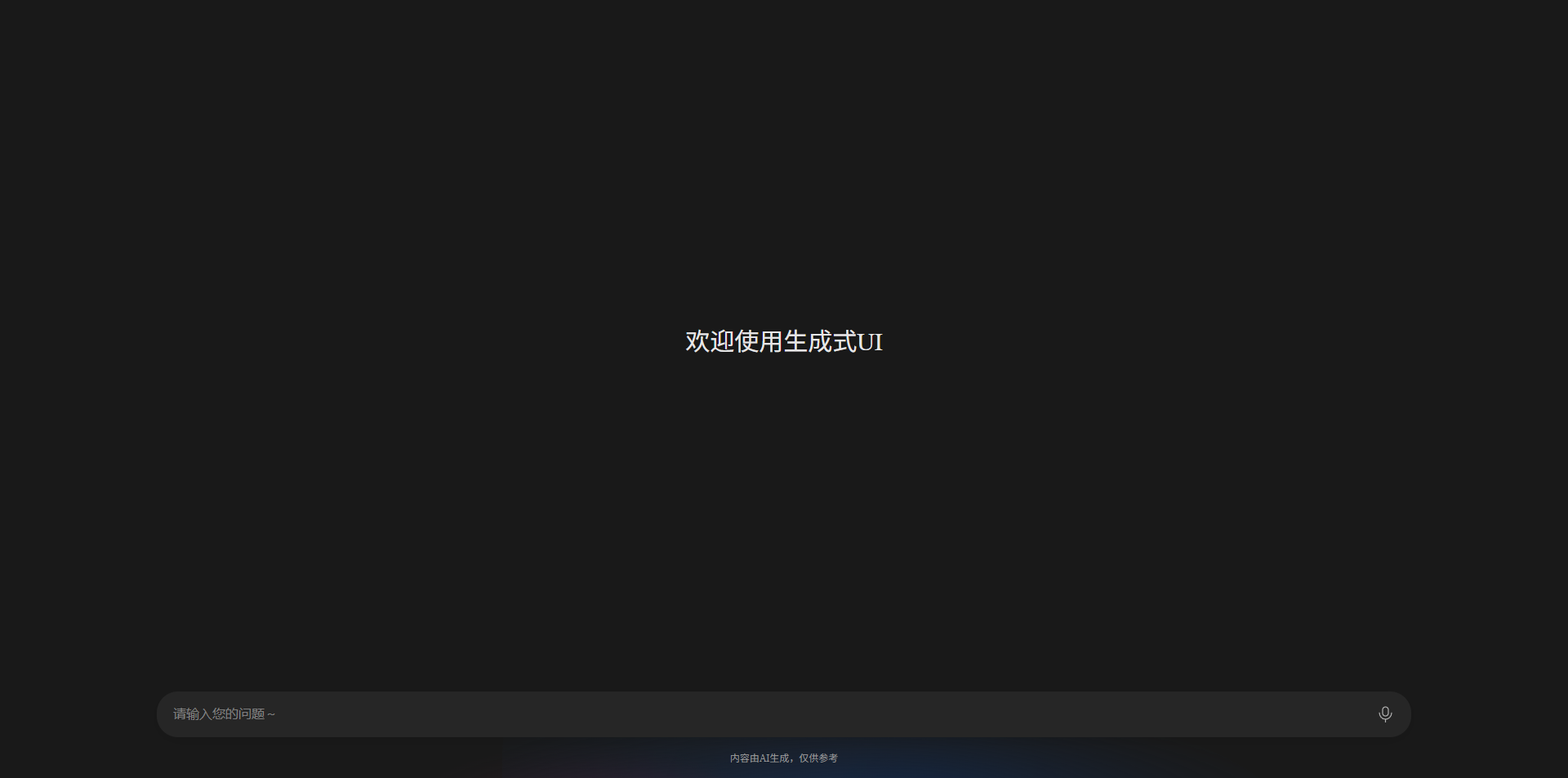
为了让界面在没有对话的时候更加美观和友好,可以通过 empty 插槽配置欢迎语或推荐场景。
vue
<template>
  <GenuiConfigProvider theme="dark" :materials="materials">
    <GenuiChat :url="url" :model="model" :temperature="temperature">
      <template #empty>
        <div class="empty-text">欢迎使用生成式UI</div>
      </template>
    </GenuiChat>
  </GenuiConfigProvider>
</template>
添加样式:
css
.empty-text {
  height: 100%;
  display: flex;
  justify-content: center;
  align-items: center;
  font-size: 30px;
}
完整示例
vue
<script setup lang="ts">
import { ref } from 'vue';
import { GenuiChat, GenuiConfigProvider } from '@opentiny/genui-sdk-vue';
import { materials } from '@opentiny/genui-sdk-materials-vue-opentiny-vue/materials';

const url = 'https://your-chat-backend/api';
const model = ref('deepseek-v3.2');
const temperature = ref(0.7);
const theme = ref<'dark' | 'lite' | 'light' | 'auto'>('dark');
</script>

<template>
  <GenuiConfigProvider :theme="theme" :materials="materials">
    <GenuiChat :url="url" :model="model" :temperature="temperature">
      <template #empty>
        <div class="empty-text">欢迎使用生成式UI</div>
      </template>
    </GenuiChat>
  </GenuiConfigProvider>
</template>

<style>
body,
html {
  padding: 0;
  margin: 0;
}
#app {
  position: fixed;
  width: 100vw;
  height: 100vh;
}
.tiny-config-provider {
  height: 100%;
}
.empty-text {
  height: 100%;
  display: flex;
  justify-content: center;
  align-items: center;
  font-size: 30px;
}
</style>
完成以上步骤后,即可开始体验生成式 UI 了。
按需引入
@opentiny/genui-sdk-vue 除主入口外,还提供按功能拆分的子路径导出。只需 Chat 或只需 Renderer 时,可从对应子路径引入,在构建工具对摇树不友好时,避免打入未使用的模块。
| 子路径 | 适用场景 | 主要导出内容 |
|---|---|---|
@opentiny/genui-sdk-vue/chat | 仅需对话组件 | GenuiChat |
@opentiny/genui-sdk-vue/renderer | 仅需渲染器(自建对话 UI) | GenuiRenderer |
@opentiny/genui-sdk-vue/config-provider | 主题/国际化/物料配置容器 | GenuiConfigProvider |
ts
import { GenuiChat } from '@opentiny/genui-sdk-vue/chat';
import { GenuiConfigProvider } from '@opentiny/genui-sdk-vue/config-provider';
import { materials } from '@opentiny/genui-sdk-materials-vue-opentiny-vue/materials';

// 仅使用 Renderer
import { GenuiRenderer } from '@opentiny/genui-sdk-vue/renderer';
TIP
1.3.0 版本进行了物料解耦重构。若需使用内置 TinyVue 组件物料,可使用 GenuiLegacyChat,详见 GenuiChat Legacy 兼容说明。
其他相关文档
- 查看 组件文档 了解
GenuiChat的详细 API - 查看 Renderer 使用指南 了解如何使用
GenuiRenderer进行更精细的控制 - 查看 特性示例 学习高级用法